Notetracks is a review tool built around the waveform: teams upload WAV, MP3, MP4 or MOV files and leave comments pinned to the exact second, with several audio tracks playing in sync and notes that export as markers to Pro Tools, Audition, Audacity, Hindenburg, REAPER or Premiere. Frame.io also accepts audio files, but it is built around the video player.
If the sound is the work, Notetracks gives it the same care Frame.io gives the picture. If you review video too, it happens in the same project, with the same reviewers and the same link.

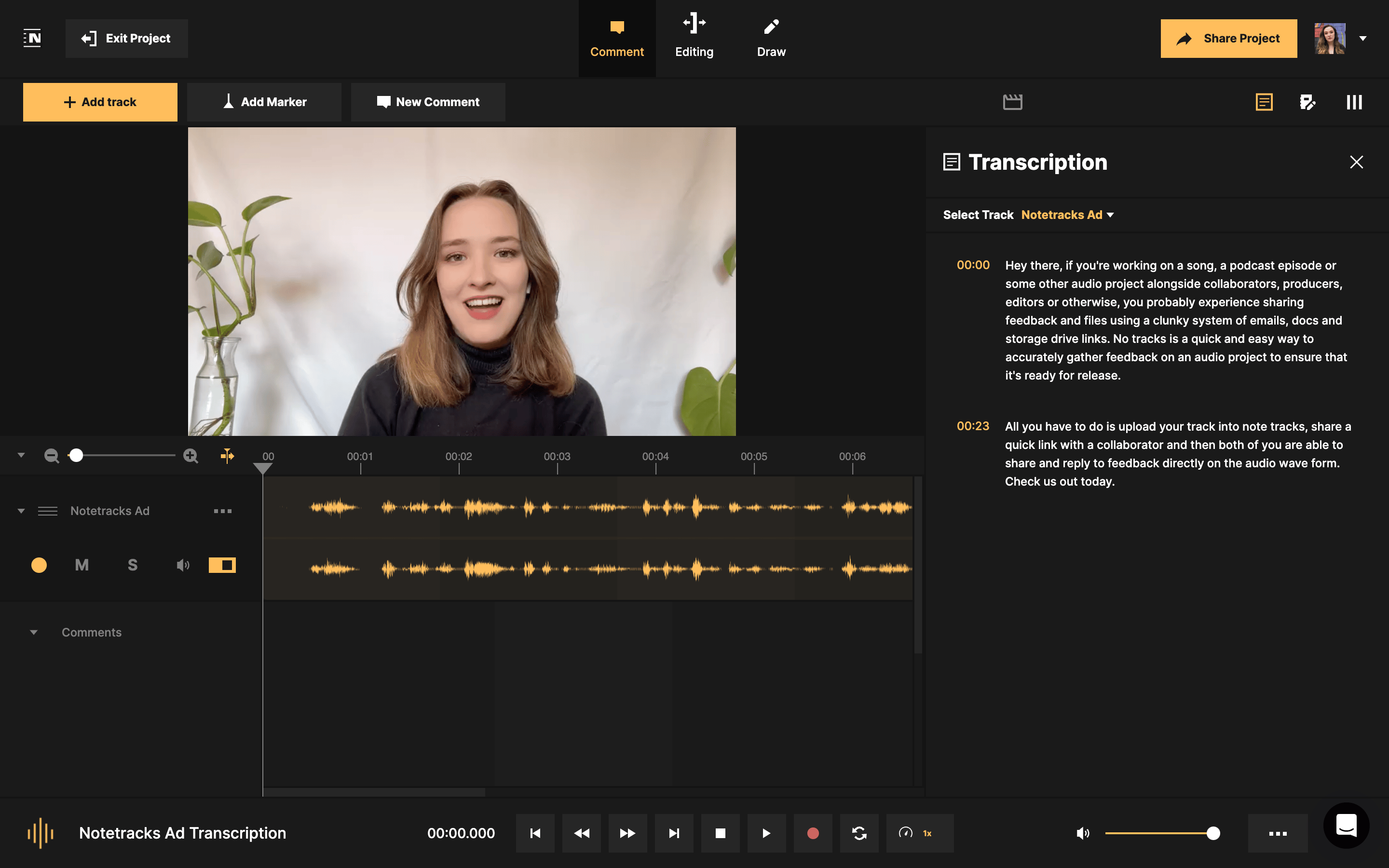
A video file in Notetracks: the picture, the waveform and a timestamped transcript in one project
Frame.io is a review platform for video-led creative teams. Its player is frame-accurate, comments can carry drawings and In and Out points, and versions can be compared side by side. It connects to the camera with Camera to Cloud, syncs comments into Premiere Pro and After Effects through built-in panels, and handles images, PDFs and Office files as well as video and audio. For an edit, a grade or a VFX pass, it's one of the strongest tools available.
Notetracks is built for teams whose work you have to hear: podcasts, music, audiobooks, voice-over, sound design and the mix on a video. Every note sits on the waveform at the moment it's about, stems and takes play back together, and each new version goes into the same project with its notes. When the review is done, the notes go back into your editor as markers. Video files go into the same projects, so a client can watch the cut and comment on the sound in one place.

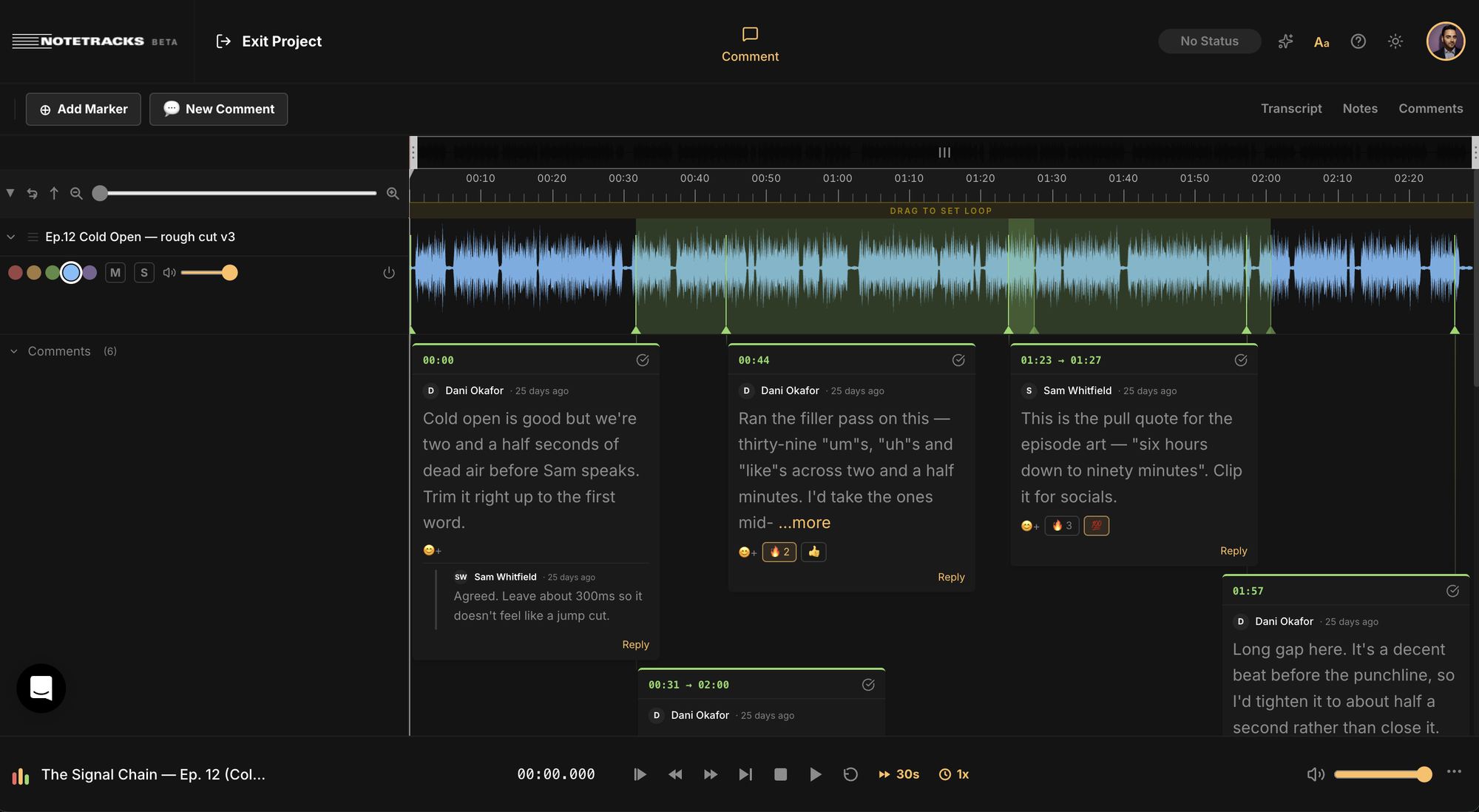
Notes on a single moment or a whole range of the waveform, with replies in threads
Both tools let a client open a link and leave timestamped notes. The difference is what the review is built around.
Frame.io details come from Frame.io's pricing page and help center, checked October 2026. Comparing for audio work only? See Frame.io for audio: how Notetracks compares.
Frame.io is the right tool when the picture is the work. Choose it if:
If that describes your team, Notetracks isn't a replacement. Keep Frame.io for picture.
Notetracks is the better fit when the sound is the deliverable, or when the note is about something you hear rather than see:

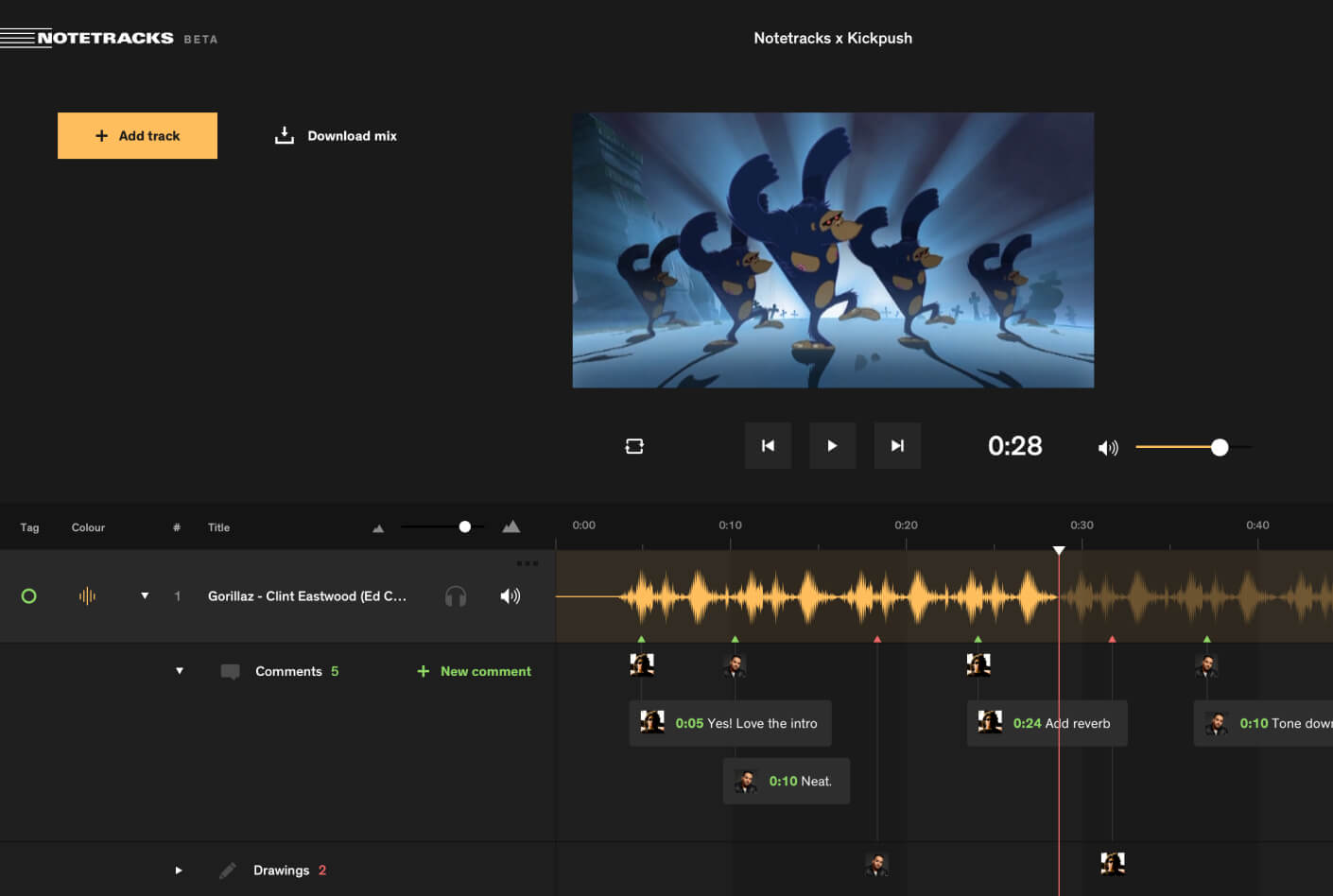
Video review: the picture on top, comments pinned to the soundtrack underneath
A common split in post-production: picture review stays in Frame.io, and the sound review moves to Notetracks. The editor shares cuts in Frame.io as usual. The sound team uploads the mix, the stems or an MP4 of the cut with the mix laid back to a Notetracks project, and sends the client that link.
The client watches or listens and leaves notes like "dialogue drops under the music here" at the exact second. The mixer imports every note into Pro Tools as a marker, uploads the next pass to the same project, and the client hears what changed. Picture notes stay with the editor, and sound notes stay with the people who fix them.

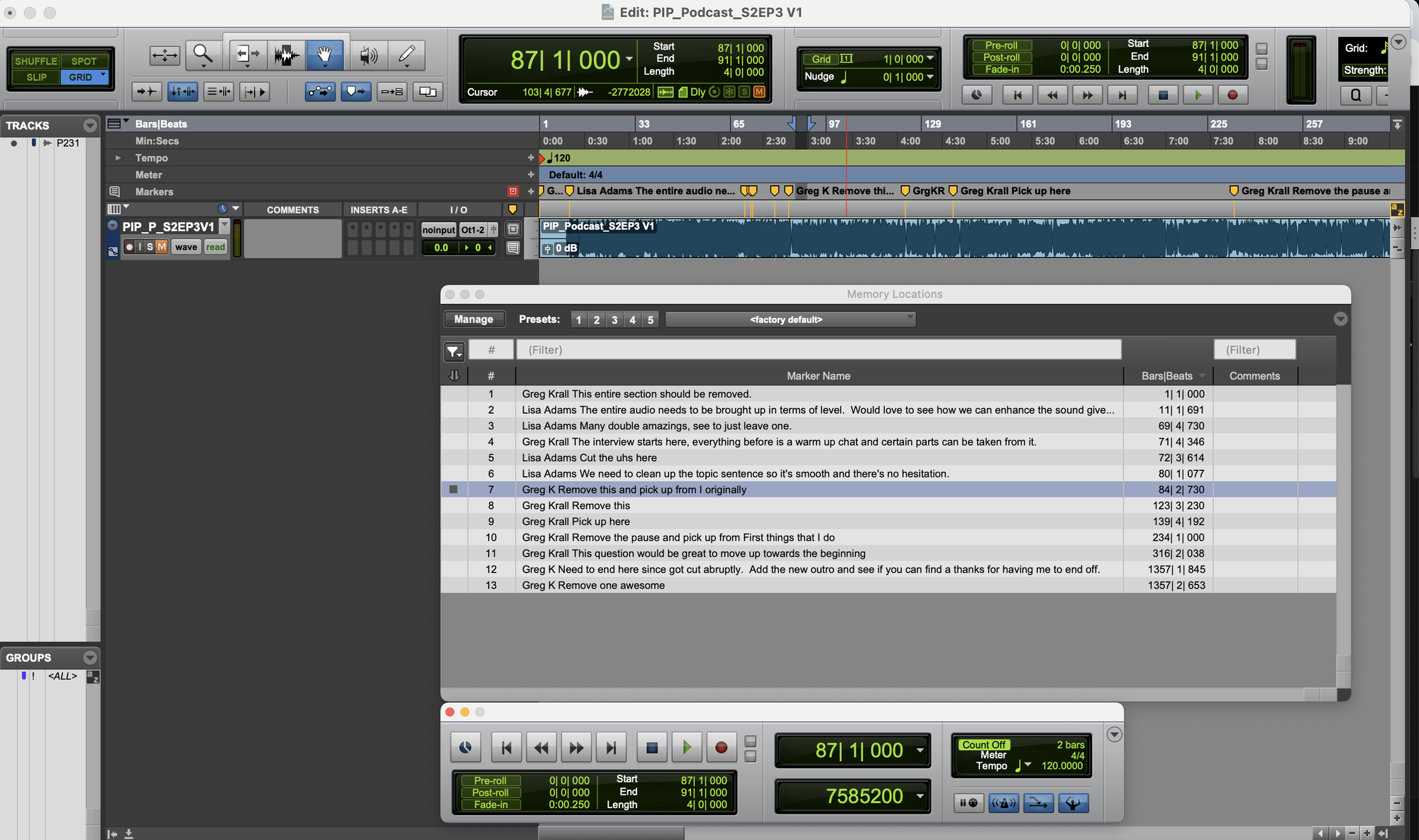
Client notes from Notetracks imported into Pro Tools: each one is a marker on the ruler, listed in Memory Locations
Yes. Frame.io accepts WAV, MP3, AIFF, FLAC and other audio formats, and reviewers can leave timestamped comments on them. The difference is the tools around the file: Notetracks shows the waveform, plays several tracks in sync and exports notes as markers to audio editors.
Yes. Upload MP4 or MOV files and reviewers comment at the exact second, without an account, the same way they comment on audio.
For audio-led work, yes. For picture-heavy post-production that relies on Camera to Cloud or the Premiere and After Effects panels, no. Those teams can keep Frame.io for picture and run the sound review in Notetracks.
Not in either tool. In Notetracks, reviewers open the share link and comment, and they never pay. Frame.io asks share-link reviewers for a name and email the first time they comment.
Every plan starts with a 7-day free trial, and plans start at $9 a month. See pricing for what each plan includes.
Try it on your next review
Upload a mix, an episode or a cut, send one link, and see the notes land on the waveform.
Start FreeBook a Demo