Timestamped transcripts your team can review

Upload a podcast episode, an interview or any audio or video file, and Notetracks transcribes it with timestamps. Click any line to jump to that moment, fix the text, and let your team comment right on the transcript or the waveform.

Start Free

Podcast and interview transcription, with timestamps

Comment on the words or the waveform

Collaborators leave notes right on the transcript or on the waveform, reply in threads and mark them resolved. Anyone you invite can comment for free.
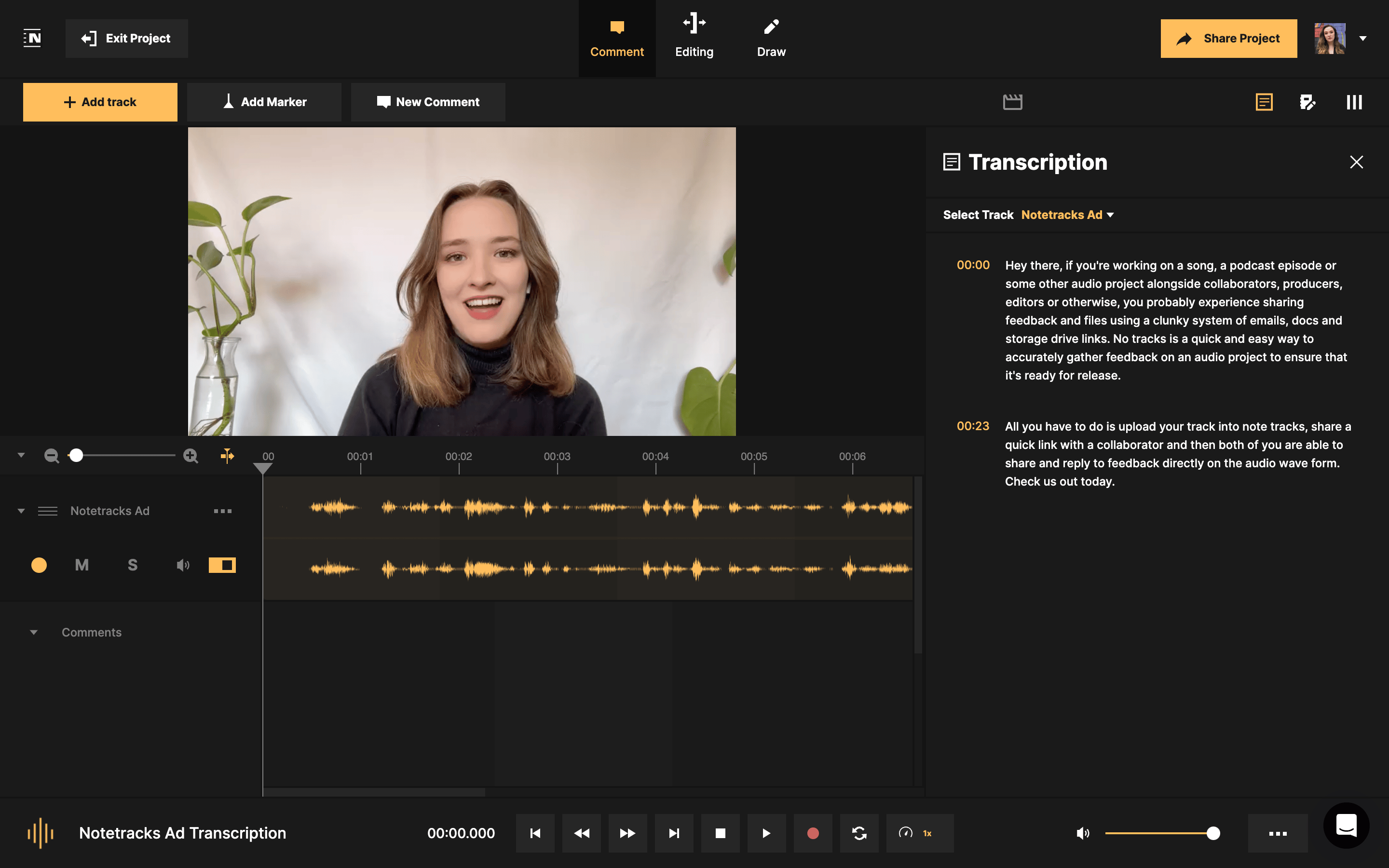
Notetracks transcription panel showing a timestamped transcript next to the video and waveform

Click a line, hear the moment

Every line of the transcript carries its timestamp. Click it and playback jumps to that exact spot, so checking a quote, a name or a flubbed line takes seconds.

Notetracks transcription options for language and number of speakers

Edit it, then copy it out

Set the language and number of speakers before it runs, so a two-person interview or a multi-host podcast comes out right. Fix names and terms afterwards, then copy the text for show notes, captions or your script.

How do I get a transcript with timestamps?

Create a project, upload or record your audio or video (you can also import from Google Drive or Dropbox), open the Transcription pane and click Transcribe. Pick the language and number of speakers, and the transcript appears with timestamps.

Can my team comment on the transcript?

Yes. Collaborators can comment on the transcript itself or on the waveform, reply to each other and resolve notes when they're fixed. They can join your projects for free.

Can I try transcription for free?

Yes. Transcription is included in the Pro and Team plans, and you can try any plan free for 7 days.

A man in a music studio

“Notetracks Pro makes the process of communication with the clients, artists, a&rs that much more simple.”

Ghislain Brind’Amour
Mixing Engineer
Jenny Turner Hall

“In our podcast collaboration with 3-4 people we started using Notetracks to have an ongoing dialogue on the actual audio track”

Jenny Turner Hall
Podcast Writer/Director